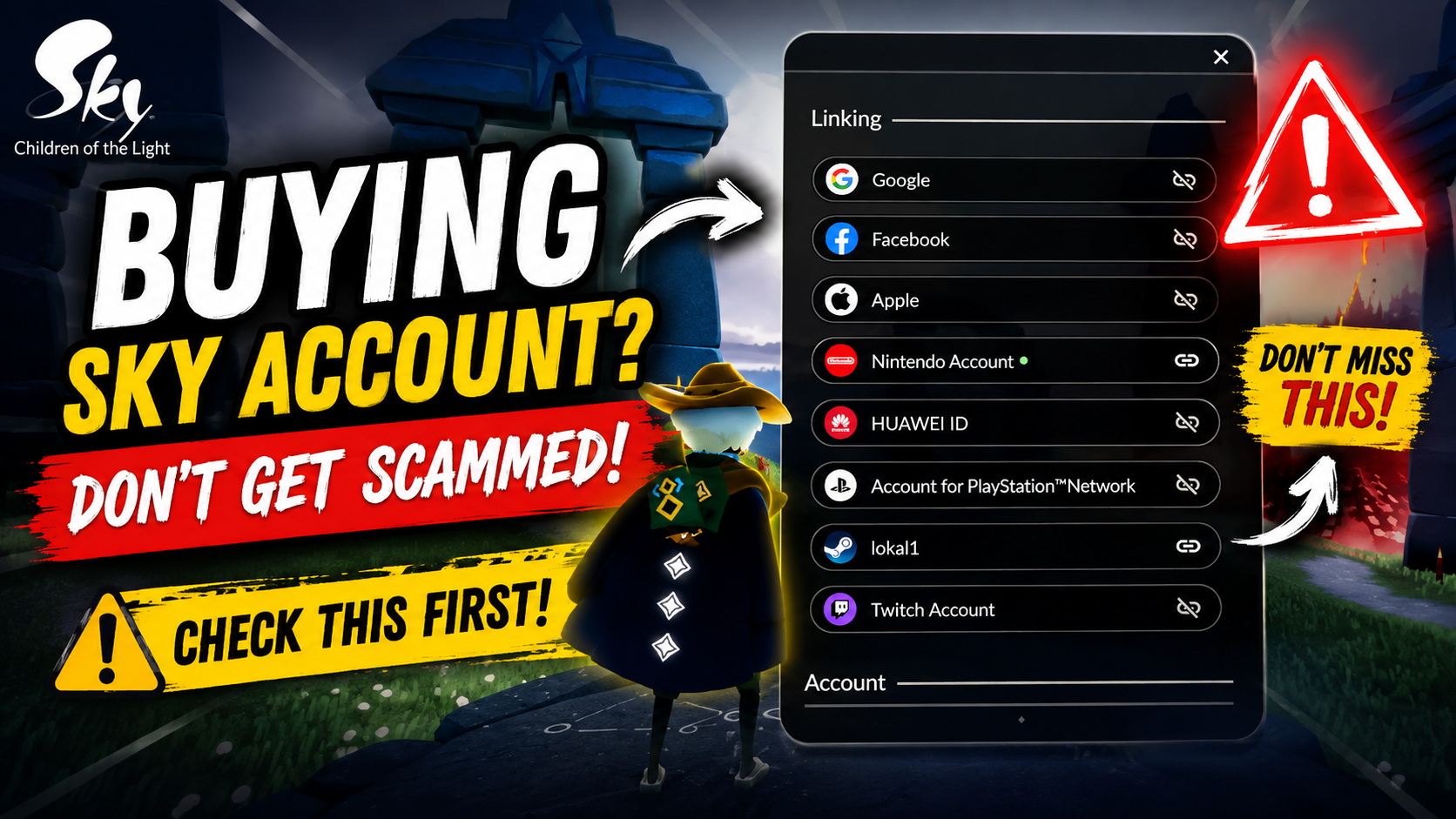
Thinking about buying a Sky account because it has rare cosmetics, old seasonal items, or years of progress?
Before you send any money, there is something much more important than the cosmetics:
You need to understand how the account is linked.
A Sky account can be connected to several different external services, and those connections can affect how the account is accessed, transferred, and secured.
More importantly, there is a major warning that every player should know before considering an account purchase.
⚠️ Buying and selling Sky accounts is against Thatgamecompany’s Terms of Service and may result in action being taken against the account.
TGC also recommends that players do not share login information such as emails, passwords, Apple IDs, Facebook information, or Sky IDs.
So this article isn’t encouraging account trading. Instead, it explains what to understand before making a potentially risky decision.
1. Check Every Linked Account
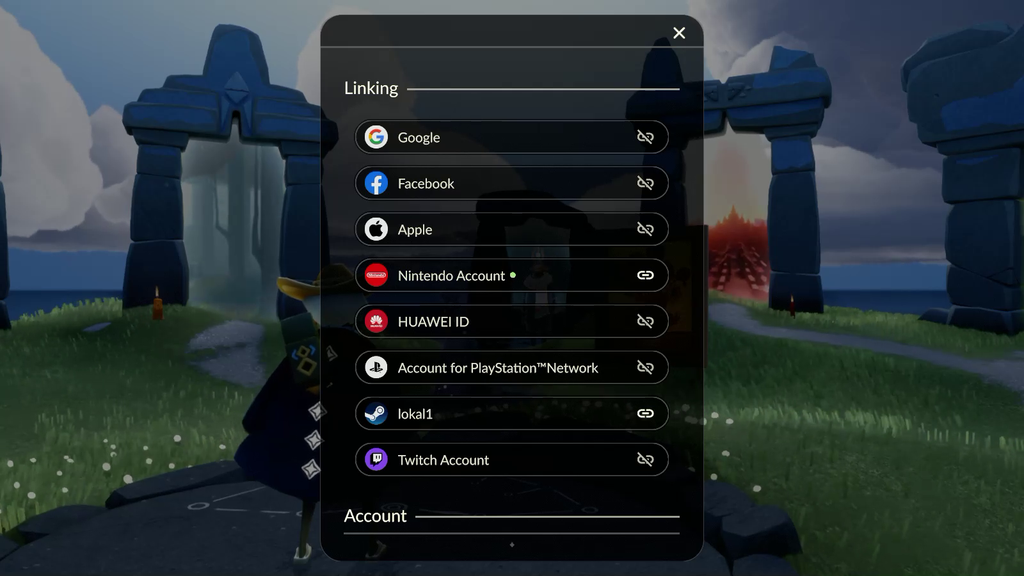
The first thing you should check is the account’s Linking section.
Sky currently supports several types of linked accounts, depending on the platform, including:
- Apple
- Huawei ID
- Nintendo Account
- PlayStation Network
- Steam
- Twitch
- Game Center on supported Apple devices
The available options depend on the device you’re using.
This is why simply asking a seller:
“Is the account linked?”
isn’t enough.
You need to know:
“What exactly is linked to the account?”
A Sky account can have multiple external accounts connected, and TGC states that only one Sky profile can be associated with each individual external account.
2. Be Extremely Careful With Google and Apple
This is one of the biggest things to understand.
If a Sky account is connected to a Google account, Apple ID, Facebook account, or another external login, you need to understand who controls that external account.
Don’t assume that the seller can simply remove their Google or Apple account whenever they want.
TGC’s support documentation states that, because of security and verification concerns, Player Support generally cannot manually unlink accounts.
That means an account with someone else’s external login attached can create a serious access problem.
For example:
You receive the Sky account.
Everything looks perfect.
You see hundreds of cosmetics.
You log in successfully.
Then later, you discover that an external account belonging to the previous owner is still involved in accessing the Sky profile.
That’s a situation you don’t want to find yourself in.
3. Don’t Assume Nintendo, Steam, or Other Platforms Are Automatically Safe
This is an important correction to a common misconception.
You may hear people say:
“Just buy an account linked to Steam/Nintendo/Huawei because those can always be unlinked.”
Don’t assume that.
TGC’s current documentation shows that unlinking rules vary.
For example, TGC documents a specific process for unlinking an accidentally linked Steam account in certain circumstances.
Nintendo also has a specific exception that may allow unlinking in limited circumstances—for example, when the Nintendo account has not been used to make a purchase in Sky and the unlinking attempt is made from a mobile device. TGC also warns that linking can often be permanent and that support cannot manually assist with unlinking.
So the important lesson is:
Don’t buy an account based on the platform name alone.
Check the current official rules for that specific platform.
4. Check the Entire Linking Screen
If you’re evaluating an account, don’t just look at one linked service.
Check the entire Linking menu.
You might see something like:
Google — Unlinked
Facebook — Unlinked
Apple — Unlinked
Nintendo — Linked
Huawei — Unlinked
PlayStation — Unlinked
Steam — Linked
Twitch — Unlinked
The important thing is knowing exactly what you’re dealing with.
If another person’s external account is still attached, you need to understand the consequences before proceeding.
5. Don’t Rely Only on Screenshots
A screenshot can show you what the seller wants you to see.
It doesn’t necessarily tell you the complete story.
If someone sends you a screenshot showing:
“1,000+ cosmetics”
that’s impressive…
but cosmetics aren’t the only thing that matters.
You should also consider:
- What accounts are linked?
- Who controls those accounts?
- How will you access the profile?
- Can the linked accounts be changed?
- What happens if the original owner attempts to recover access?
- What does TGC’s current policy say?
A rare cosmetic isn’t very useful if you can’t reliably access the account.
6. Never Forget Account Security
TGC specifically recommends not sharing login information with other people.
This includes:
- Email addresses
- Passwords
- Apple ID information
- Facebook information
- Sky ID
TGC says that if someone else has your login information, you should change it as soon as possible or contact the appropriate support team.
This is another reason account trading creates significant security concerns.
You’re not simply transferring cosmetics.
You’re potentially dealing with someone else’s login credentials and personal information.
7. Buying and Selling Sky Accounts Is Against the Rules
This is the most important part of the entire article.
TGC’s official Help Center explicitly states:
Buying and selling Sky accounts is against the Terms of Service.
It may result in action being taken against the account.
TGC also states that unauthorized selling of game content can result in temporary or permanent bans.
So even if you find an account that looks like an incredible deal, there is always a risk associated with purchasing it.
That’s something you should understand before spending your money.
8. The Safest Option Is Still Your Own Account
If you’re interested in a Sky account because you want older cosmetics, lots of progress, or a large collection, the safest option is still building your own account.
It takes longer.
But your progress belongs to you.
Your friendships belong to you.
Your memories belong to you.
And you don’t have to worry about someone else having access to the account’s original login information.
That’s something a marketplace listing can’t sell you.
Final Checklist
If you’re considering buying a Sky account despite the risks, at minimum, understand these questions before doing anything:
⚠️ Account Checklist
- What external accounts are linked?
- Who controls those linked accounts?
- Is another person’s Google, Apple, Facebook, Nintendo, Steam, PlayStation, Huawei, or Twitch account connected?
- Can the relevant linked account actually be changed under TGC’s current rules?
- Do you understand the login and recovery situation?
- Have you checked TGC’s current Terms of Service?
- Do you understand that buying/selling Sky accounts is against TGC’s rules?
- Are you willing to accept the possibility of losing access to the account?
If you can’t confidently answer these questions…
don’t rush the purchase.
Final Thoughts
A Sky account can contain years of memories and countless beautiful cosmetics.
But don’t let rare items make you forget about account security.
Before you look at the cape…
look at the linking screen.
Before you look at the cosmetics…
look at who controls the account.
And before you send your money…
understand the rules and risks.
Because the most valuable thing in Sky isn’t a rare cosmetic.
It’s having a safe account where you can continue your journey.
Explore the World. Find the Light.
— SkyWorldLight